
CSV viewer & editor for iPhone, iPad and Android
Open, edit and make sense of CSV files on your phone.
Smart CSV reads big files fast, lets you filter, sort and edit right in the table, and answers questions about your data, without your data leaving the device.

A table you can actually work in
Everything you’d open a laptop for, done with your thumb.
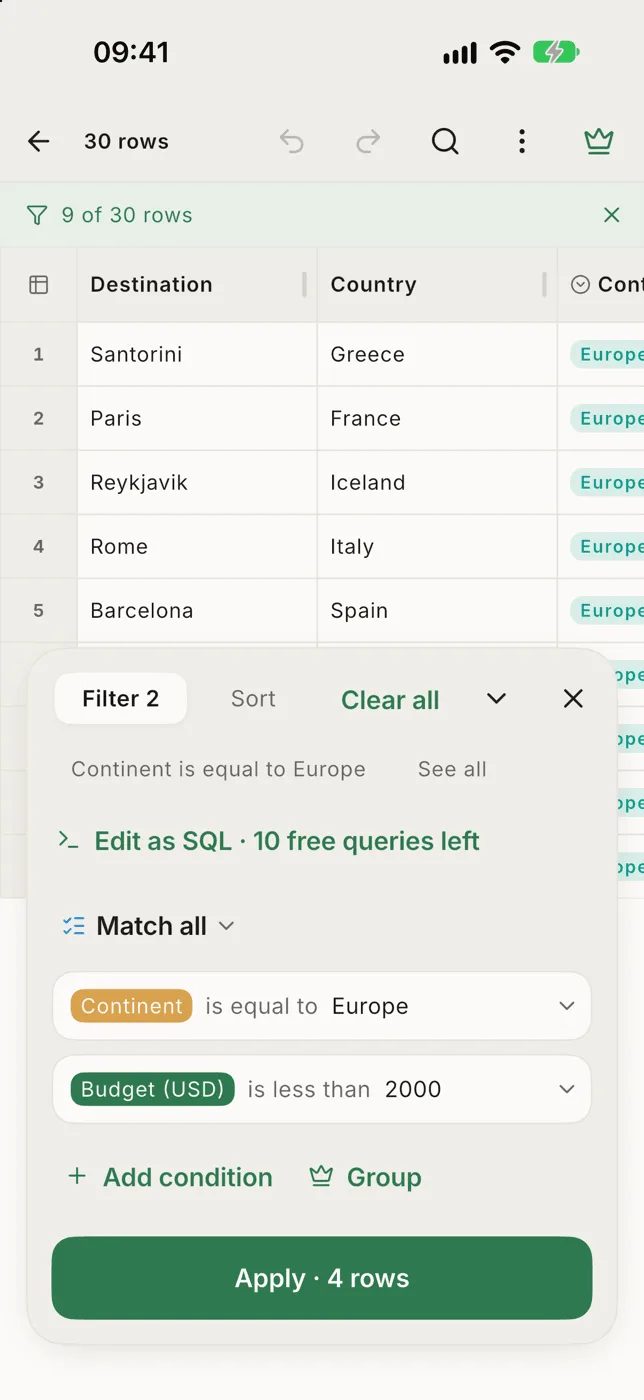
Filter without leaving the table
Build conditions over your rows and see how many match before you apply. Recent filters are one tap away.
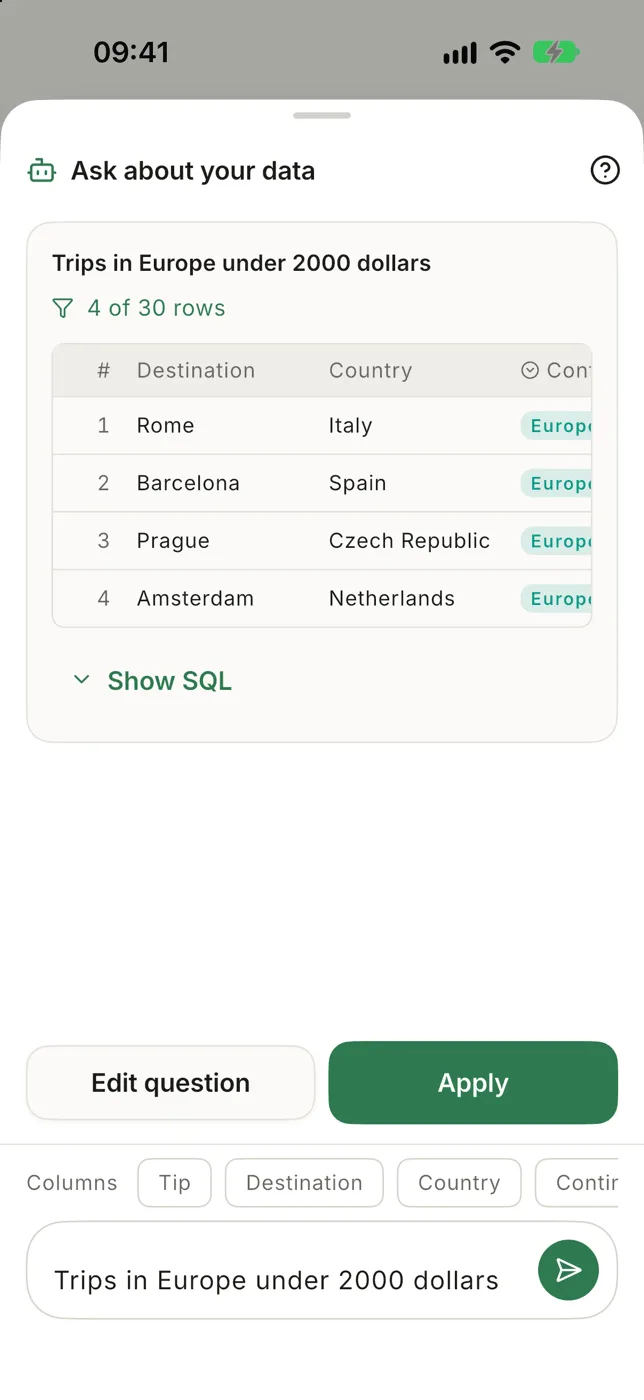
Ask in plain words
The AI assistant turns “trips in Europe under $2,000” into a filter and shows the matching rows first.
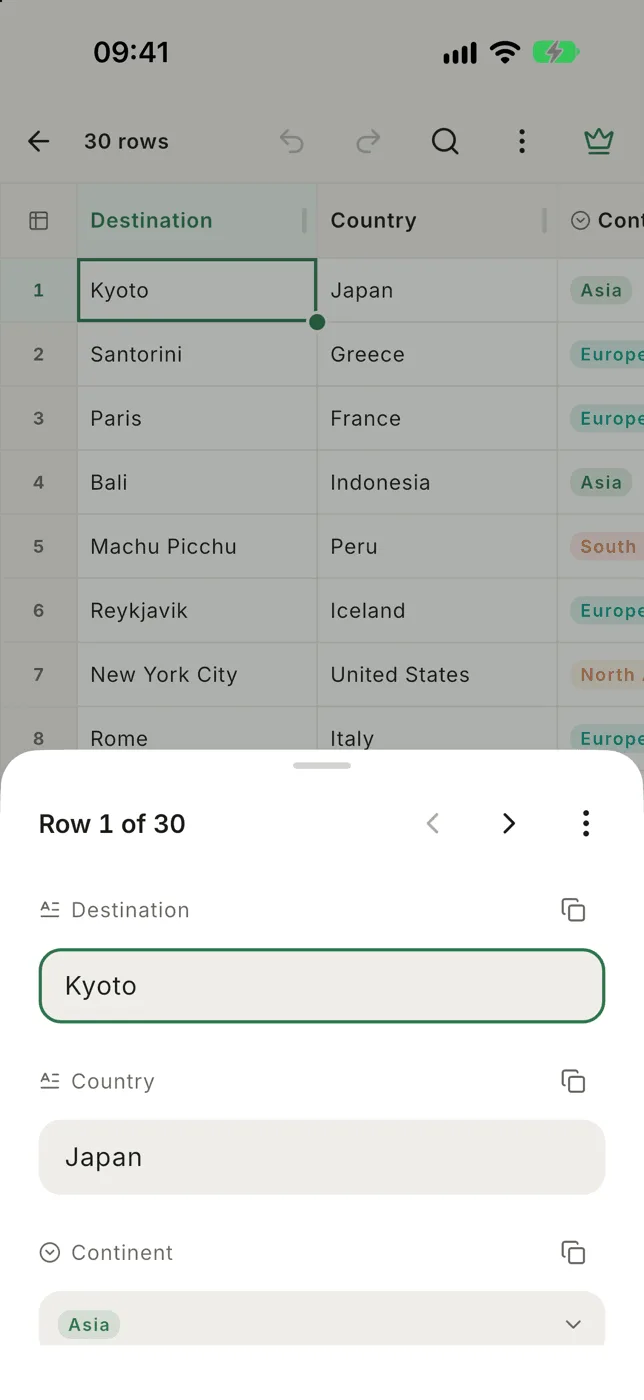
Edit in place, or as a form
Tap a cell twice to type. Open a whole row as a form, step through rows, and undo anything.
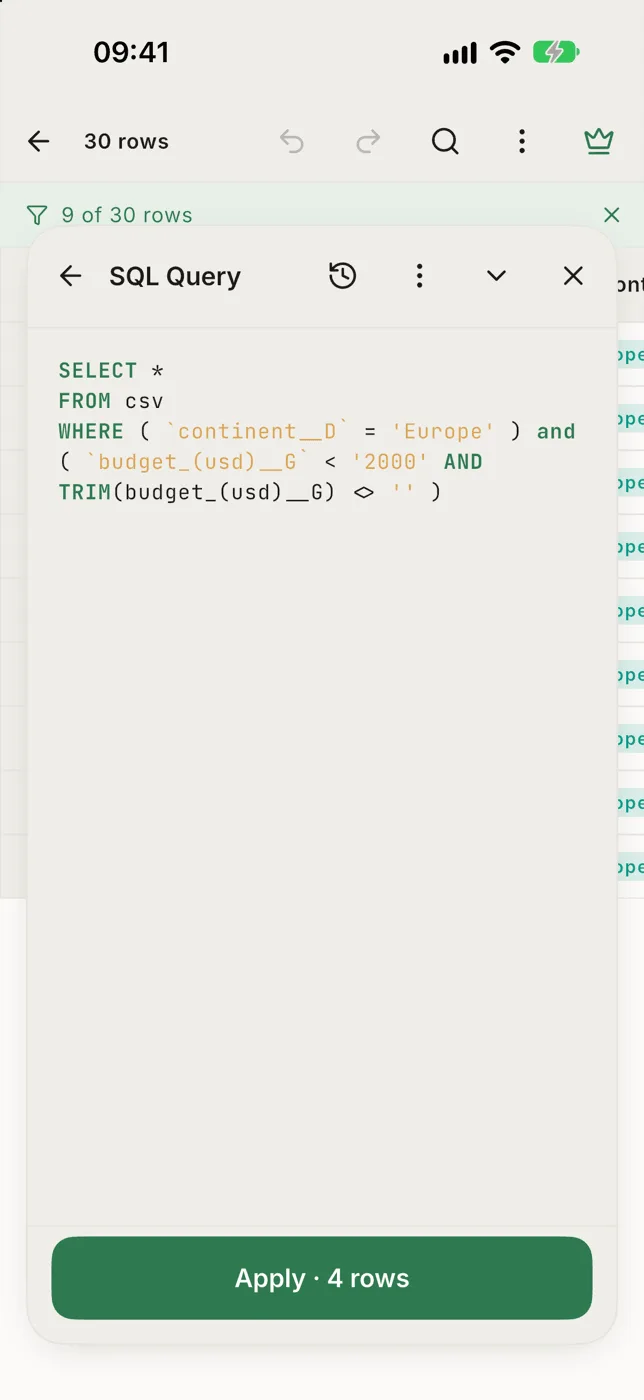
SQL when you want it
Your file becomes a real database on the phone. Group, count and search with SQL, with a live row count.
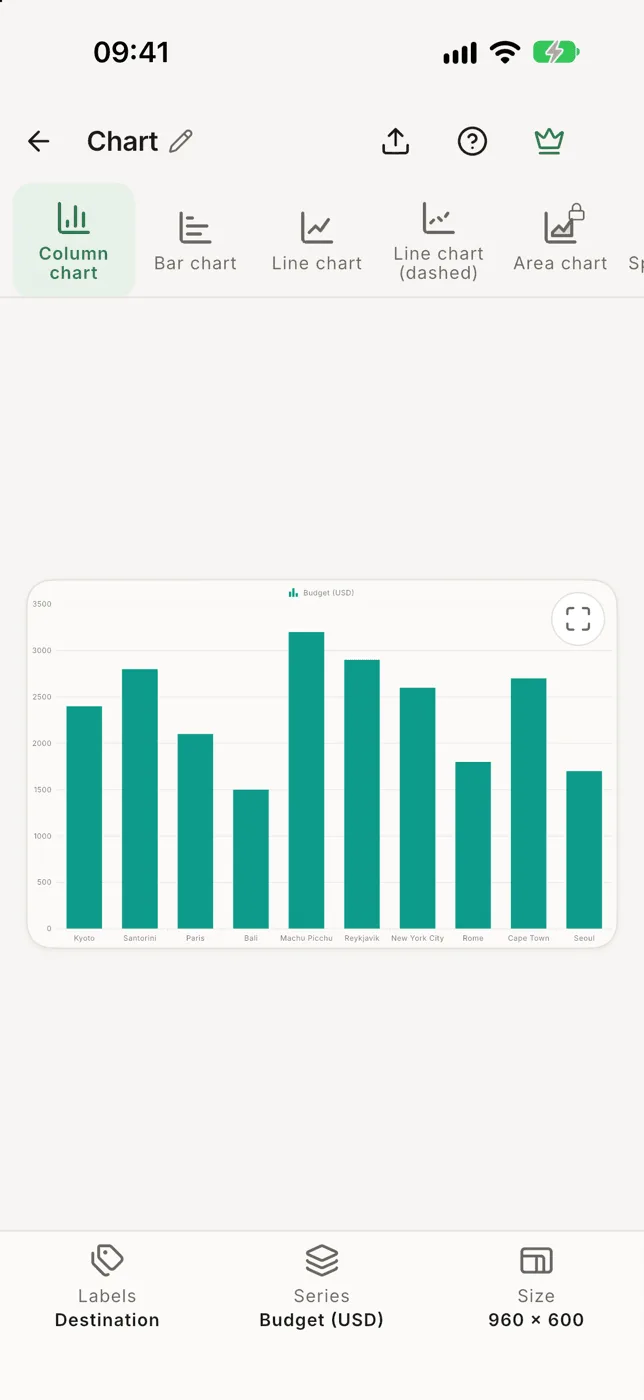
Charts from any numbers
Column, bar, line, pie, scatter and more, from the columns you pick. Save the chart as an image.
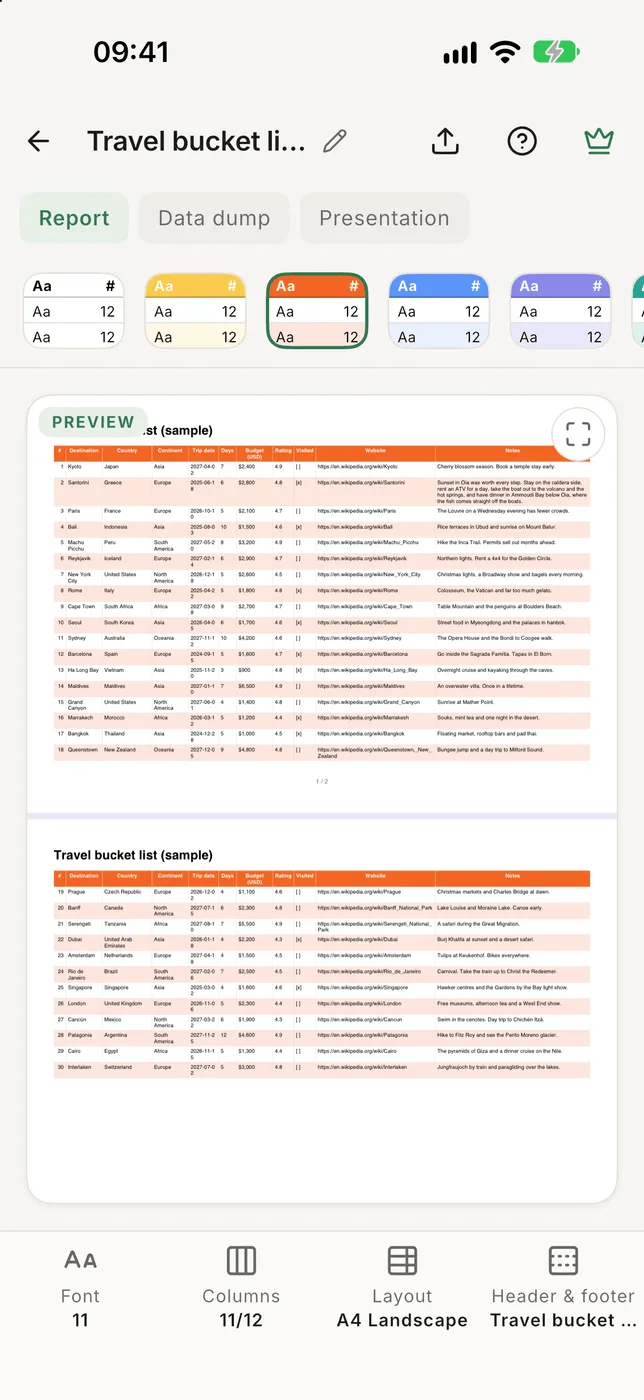
PDFs that fit the page
Print the table to a PDF with presets, your own header and footer, and page numbers. Or export to Excel.


And the everyday things, done properly
Opens almost any CSV
Comma, semicolon, tab or pipe; UTF-8, UTF-16, Shift_JIS, GB18030, Windows code pages and more, detected for you.
Big files stay smooth
Rows are read a page at a time, so a file with hundreds of thousands of rows scrolls like a short one.
Sort by several columns
Hold a header to sort, or stack sorts in the panel. Numbers sort 9 before 10.
Sum a selection
Select cells to see count, sum and average, and copy them straight into a spreadsheet.
Columns that know what they hold
Numbers, dates, checkboxes, links and images, without changing a byte of your file.
Freeze, hide, resize
A live layout panel for widths, alignment, frozen columns, zoom and row height.
Paste a table
Copied cells from a spreadsheet, a web page or an AI chat become a new CSV file.
Keyboard ready
On an iPad or a tablet with a keyboard: arrows, Enter to edit, and the usual shortcuts.
47 languages, light and dark
From العربية to 中文, in a calm paper-and-ink design.
Made for the phone you have
CSV viewer for iPhone & iPad
Open CSV files from Files, iCloud Drive, Mail and any app that shares.
CSV viewer for Android
Open CSV files from Downloads, Google Drive, Gmail or WhatsApp.
Convert CSV to PDF
A printable table with your header, footer and page numbers.
Convert CSV to Excel
An .xlsx with real numbers and dates and a filterable header.
What people are saying
Reviews from the App Store and Google Play, word for word.
★★★★★
This is one of the only apps that allows the proper display of CSV files. The UI stays smooth across even with files that contain thousands of rows, and it can even search through them effortlessly. The developer is very responsive and quickly pushed an update to address an issue I was having with a given file.
Philippe Choquette ★★★★★
Great app! Looks beautiful works well and it’s fast. It’s the only csv viewer which allowed me to view a 200 mb csv file. Keep up the good work. Just purchased the pro version
Carlos Flores ★★★★★
Best CSV reader for Android. Search and sort feature have made work easier.
J.B. ★★★★★
A brilliant App with just so many options to deal with your files. Easy to use as well.
William Hyde ★★★★★
There was an issue with the file, but the developer helped to find the problem. So the app works fine, and right now, after trying everything else, I think it’s the best instrument for viewing the csv in the play market
Perfect
Your data stays on your phone
Files are copied into the app and never uploaded. Your original is never changed. The AI assistant sends only your question and your column names, never the values in your cells.
Free to start. Pro when your files grow.
The free version includes search, sorting, filters, column types, charts and PDF and Excel export. Smart CSV Pro removes every limit, as a subscription or a one-time purchase.
Compare Free and ProQuestions
How do I open a CSV file on my phone?
Install Smart CSV, then share the file to it from Files, Mail, Google Drive or a chat app, or tap + → Open CSV in the app. It works out the separator and the encoding on its own and shows the file as a table. See Open a file.
Is Smart CSV free?
Yes. The free version opens any file and includes search, sorting, filters, column types, charts and PDF and Excel export. On big files it reads a limited number of rows. Smart CSV Pro removes every limit, as a subscription or a one-time purchase. See Free & Pro.
Can it open large CSV files?
Yes. Smart CSV imports the file into a database on your phone and reads it a page at a time, so files with hundreds of thousands of rows scroll smoothly. The first open of a big file shows a progress bar; later opens are instant.
Does Smart CSV upload my data?
No. Your files are copied into the app and stay on your phone. The AI assistant sends only your question and your column names, never the values in your cells.
Will it change my original file?
No. Smart CSV works on its own copy. A file in iCloud Drive, Google Drive or another app is never changed there; when you share the file, the copy you send has your edits.
Can I convert CSV to PDF or Excel on my phone?
Yes. Open the file, tap ⋯ and choose PDF or Excel. See CSV to PDF and CSV to Excel.
Your next CSV file deserves better than a wall of commas.
Free on the App Store and Google Play.